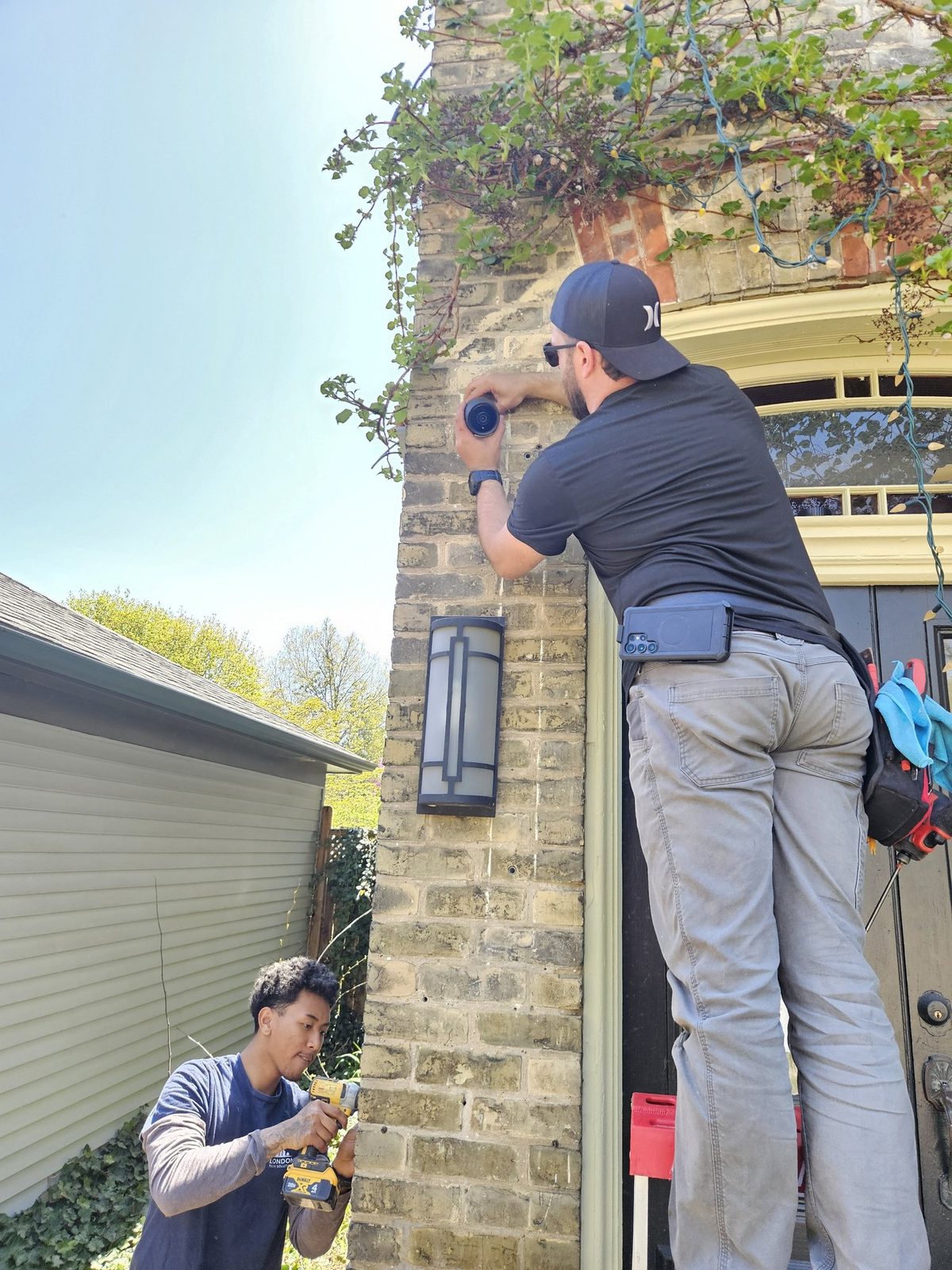
If you own an older home in London, Ontario, you've probably heard it before: "Your house will be tricky to wire." Solid brick walls, no attic access, plaster ceilings, and layouts that were never designed with modern technology in mind. A lot of homeowners assume that means security cameras aren't practical — or that the cost will be through the roof.
Neither is true. Here's how we proved it on a recent install in Wortley Village.
- Location
- Wortley Village, London, Ontario
- Project Type
- Residential security cameras (retrofit)
- Client
- Homeowner
- Systems Installed
- UniFi Protect — 4 cameras + local network video recorder
- Site Conditions
- 100-year-old brick home · no attic access · detached garage
- Timeline
- Completed in a single day · 3-person crew
- Investment
- Around $4,000, all-in
The Home and the Challenge
The property was a beautiful 100-year-old brick home in Wortley Village — one of London's most distinctive and character-rich neighbourhoods. The homeowner had three specific concerns: package theft at the front door, no visibility over their EV charger in the detached garage, and no overall coverage of the property perimeter.
The challenges were real. Solid brick exterior walls ruled out running cables through the inside of the walls in many areas. There was no attic access for routing cables across the top of the house. And the detached garage — where the EV charger lives — required coverage that couldn't be achieved with a simple cable run from the main house.
A lot of installers would have walked away or quoted something impractical. We designed around it.
Our Approach
When a home doesn't offer conventional cable pathways, we work with the architecture rather than against it. Here's what we did:
Exterior Conduit — where running cable through the walls wasn't practical, we ran weatherproof conduit along the exterior of the home. Done properly, exterior conduit looks clean and intentional — not like an afterthought. It also protects the cabling from the elements and makes future changes simple.
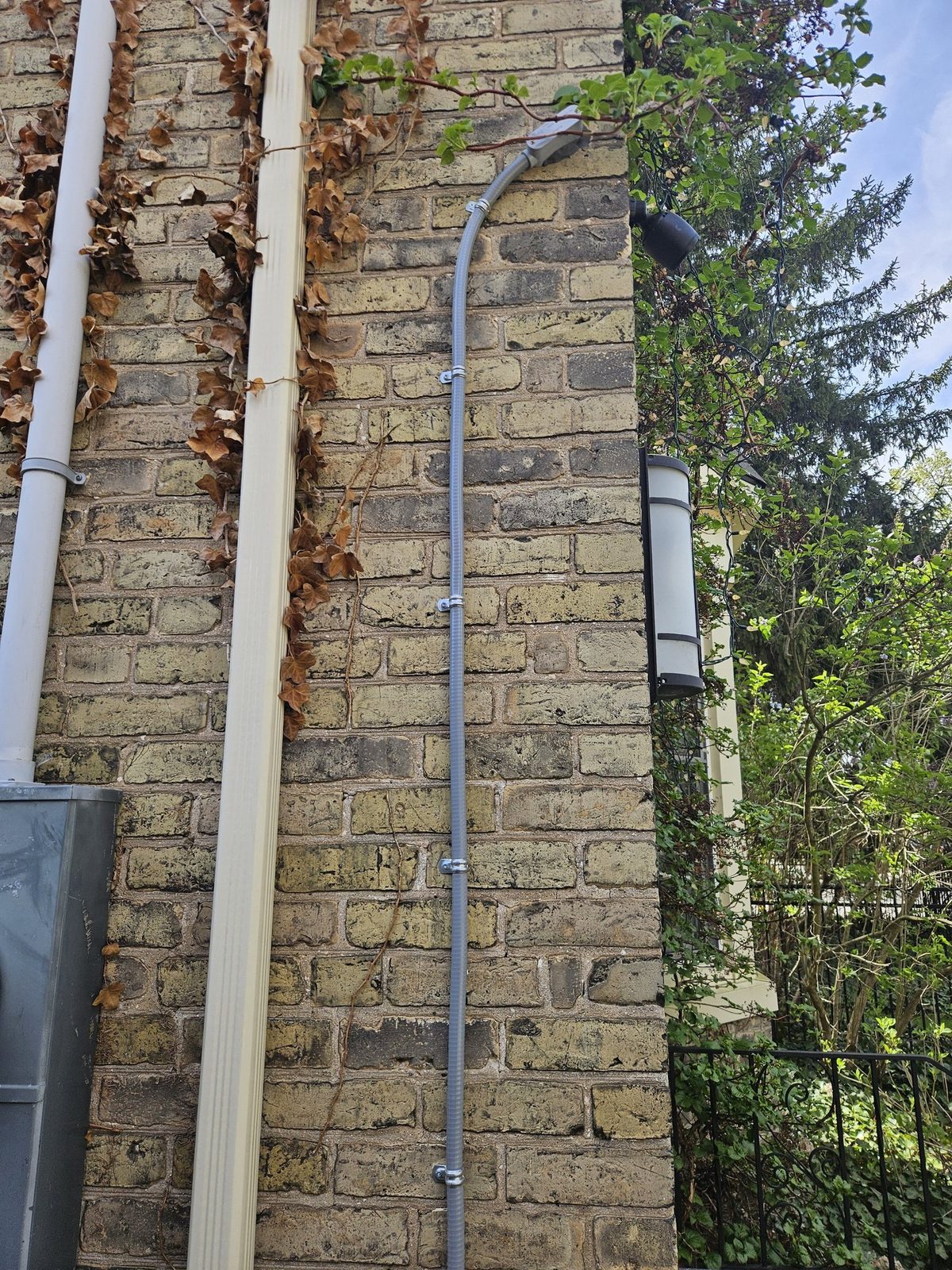
Underground Conduit to the Detached Garage — to get coverage on the EV charger and the garage, we buried conduit underground between the house and the garage. This is a permanent, weatherproof solution that keeps cables completely hidden and protected. No exposed wiring across the yard, no trip hazards, no freeze-thaw damage over time.
The result was a clean, professional installation on a property that presented real challenges — completed in a single day by a three-person crew.
The System: UniFi Protect
For residential installations like this one, we rely on UniFi Protect by Ubiquiti. It's the same enterprise-grade platform we use for commercial clients — but scaled for homeowners who want professional results without ongoing monthly fees.
Here's what the Wortley Village homeowner got:
- Full Perimeter Coverage — 4 cameras covering the front door, driveway, backyard, and detached garage. Every angle of the property is visible from one app.
- EV Charger Monitoring — a dedicated camera on the garage means the charger is covered 24/7. If anyone approaches the vehicle or the garage, the homeowner gets an alert.
- Motion-Triggered Alerts — the system sends an instant notification when motion is detected at any camera. Package deliveries, visitors, or anything unexpected — the homeowner knows immediately.
- Remote Viewing — all four cameras are accessible from a smartphone from anywhere in the world. Live view, recorded footage, and motion alerts in one clean interface.
- No Monthly Fees — unlike Ring, Nest, or other subscription-based systems, UniFi Protect stores footage locally on a network video recorder in the home. No cloud subscription, no recurring costs. The homeowner owns the system and the footage outright.
The System at a Glance
| Area | Design Approach | Equipment Installed |
|---|---|---|
| Camera Coverage | Cover every approach — front door, driveway, backyard, detached garage | 4× UniFi Protect cameras (incl. UniFi G6 Bullet) |
| Recording | Own the footage; no cloud fees | UniFi Protect network video recorder (local) |
| Exterior Cabling | Route cleanly where brick blocks interior runs | Weatherproof exterior conduit |
| Detached Garage | Permanent, hidden link across the yard | Underground conduit run |
| Remote Access | One app, from anywhere, with instant alerts | UniFi Protect mobile app · motion notifications |
What Did It Cost?
This is the question everyone wants answered — and we believe in being straightforward about it. The Wortley Village installation came in around the figure below, including all hardware, cabling, conduit, and installation.
Frequently Asked Questions
Can you install security cameras in an older brick home without damaging it?
Yes. When solid brick walls and no attic access rule out running cable inside the walls, we run weatherproof conduit along the exterior and, where needed, bury conduit underground. Done properly it looks clean and intentional, protects the cabling, and makes future changes simple.
Do UniFi Protect cameras need a monthly subscription?
No. Unlike Ring, Nest, or other subscription-based systems, UniFi Protect stores footage locally on a network video recorder in your home. There is no cloud subscription and no recurring fee — you own the system and the footage outright.
Can you get camera coverage on a detached garage?
Yes. On this project we buried conduit underground between the house and the detached garage to reach an EV charger, giving permanent, weatherproof, fully hidden cabling with no exposed wiring across the yard and no freeze-thaw damage over time.
How much does a home security camera system cost in London, Ontario?
It depends on the property. This four-camera UniFi Protect install in Wortley Village came in around $4,000, including all hardware, cabling, conduit, and installation. We provide a free on-site assessment and a clear quote before any work begins.
Own an Older Home in London, Ontario?
If you've been putting off security cameras because you assumed your home was too complicated or too expensive to wire — give us a call. Older homes in Old South, Wortley Village, Woodfield, Byron, and across London are exactly the kind of properties we specialize in. We'll walk your property, tell you honestly what's involved, and design a system that works with your home — not a generic package that ignores its reality.